Welcome to PedalMentor
Your AI-powered training platform for cycling and rowing.
Let's walk through getting set up — step by step.
1
Create Your Account
Register with an invite code, then log in
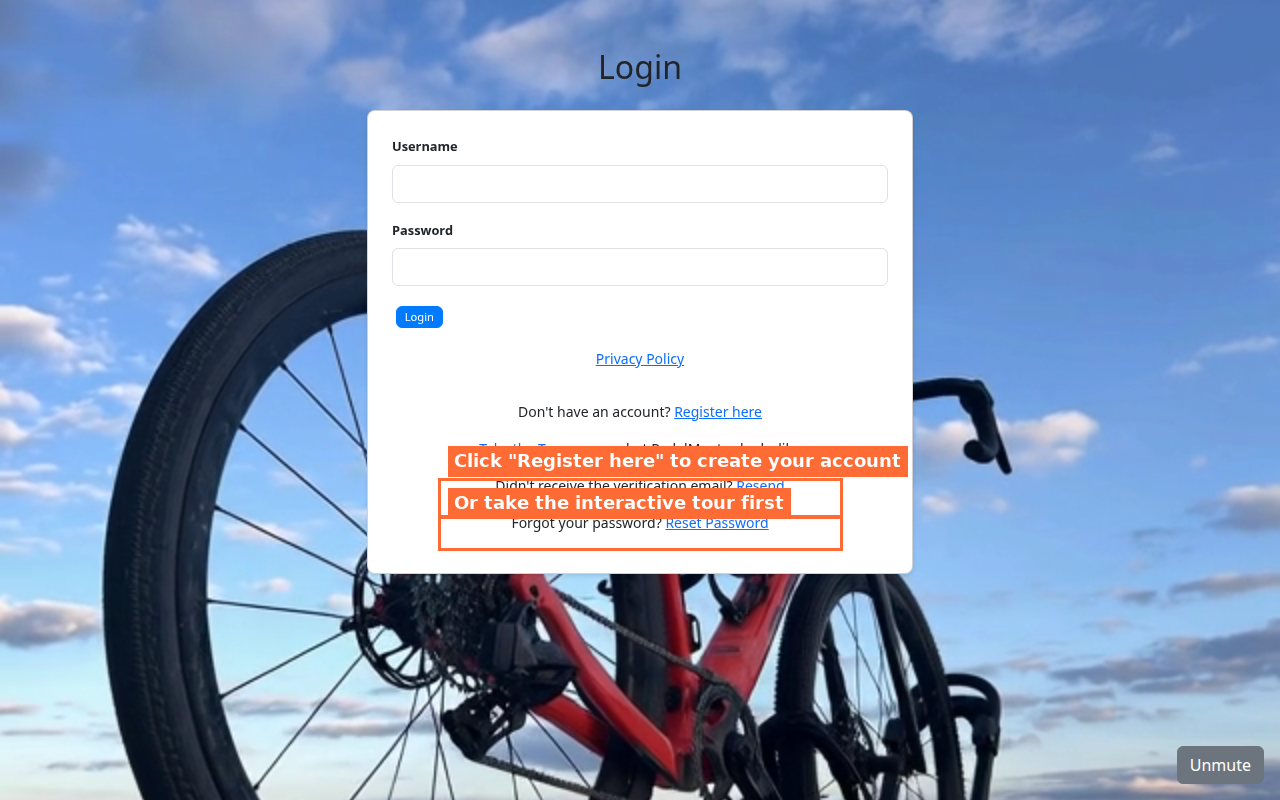
You'll need an invite code to register. After registering, check your email for a verification link, then log in with your new credentials.
2
Set Up Your Profile
Enter your fitness data so PedalMentor can personalize your experience
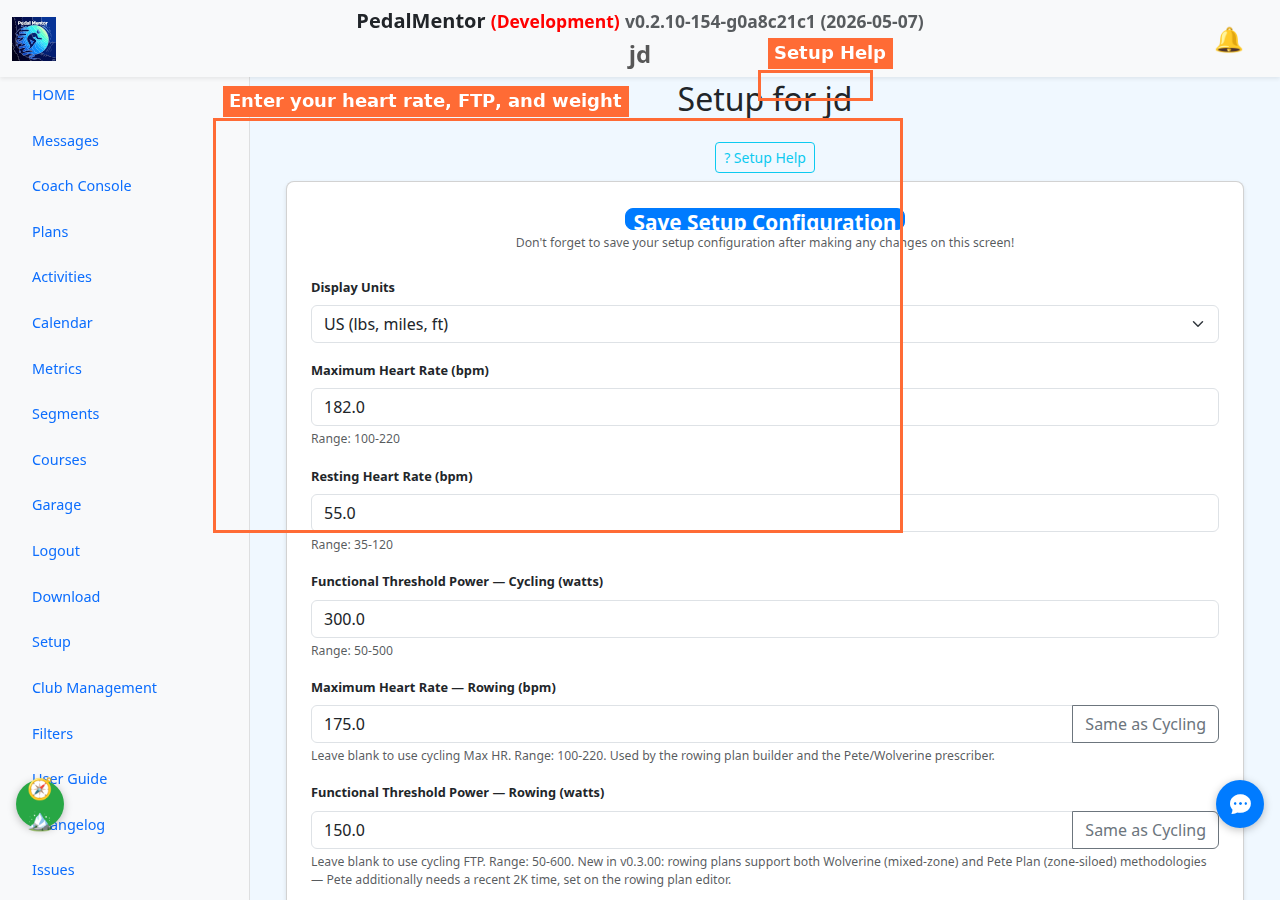
Don't know your numbers? Start with estimates — you can always update later. A welcome modal guides you through the key fields on first login. Scroll down for timezone, AI coach personality, and more.
3
Connect Your Devices
Link Garmin, Strava, Wahoo, or Concept2 for automatic activity syncing
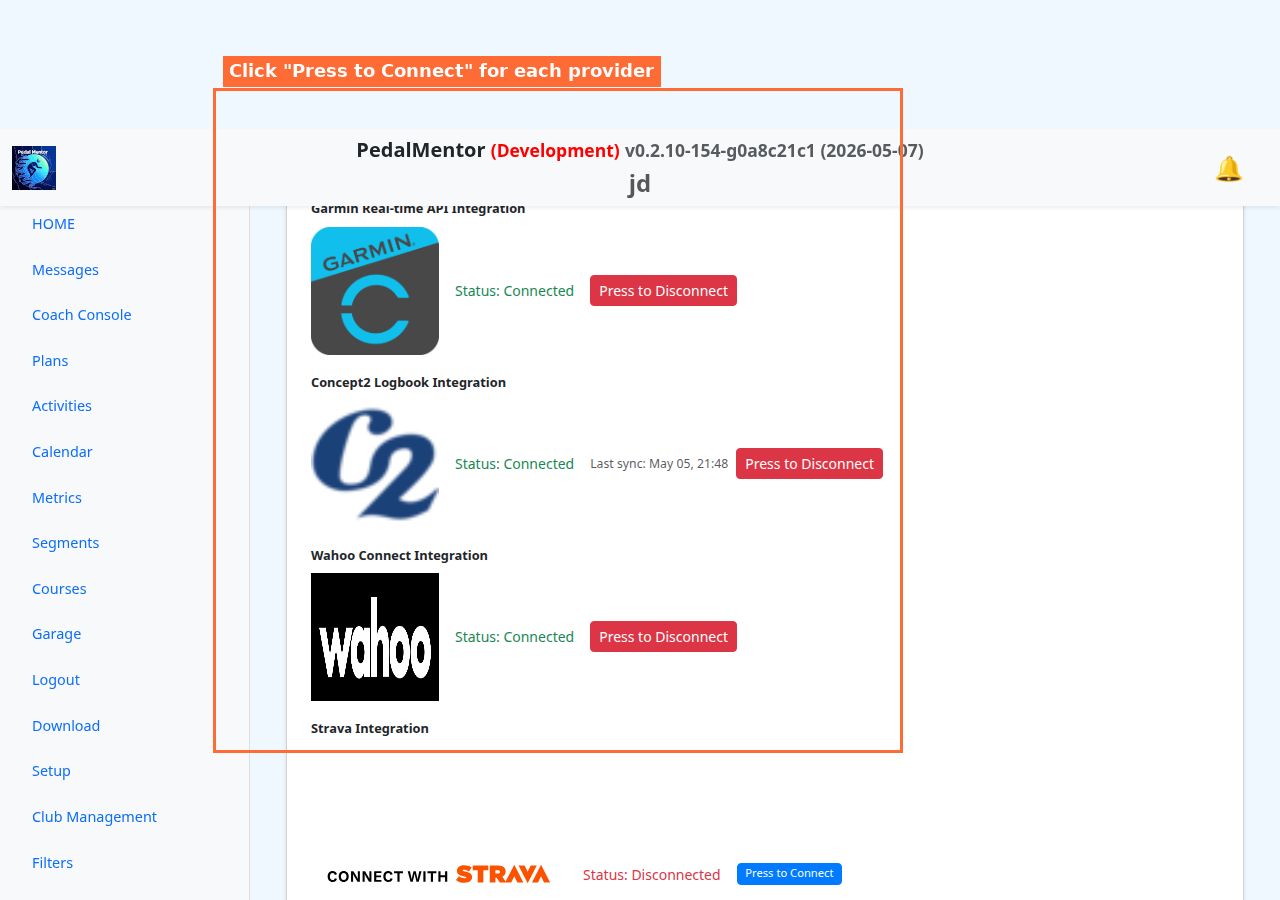
Each provider opens their login page. After you authorize, you're redirected back to PedalMentor. Connected providers sync automatically — new activities appear within minutes of completing a workout.
4
Import Your Activities
Sync from connected providers or upload FIT files manually
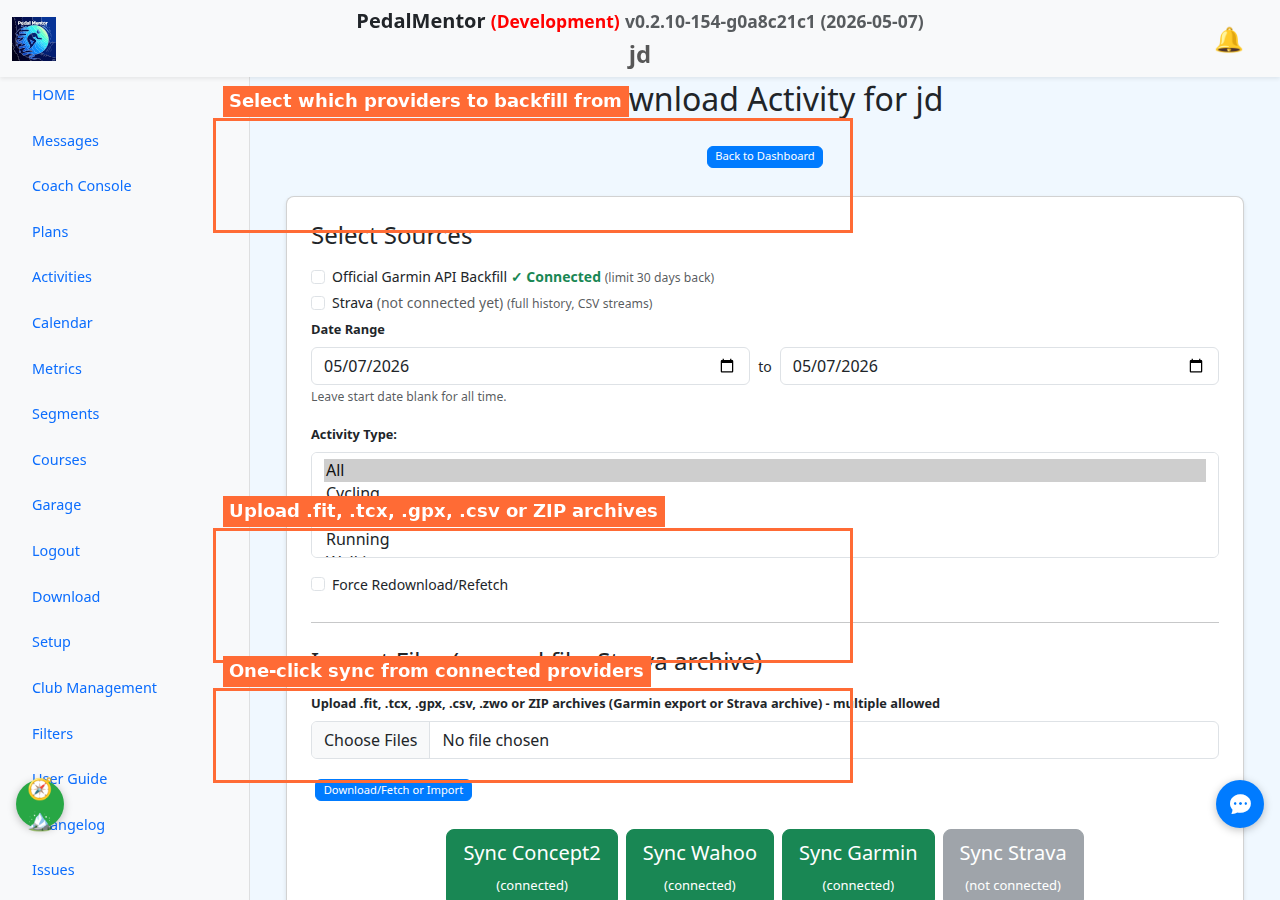
Automatic syncing: Once connected, new activities arrive automatically via webhooks. Use this page to backfill history or import files from other sources.
5
Your Home Dashboard
See today's plan, recent activities, and your training status at a glance
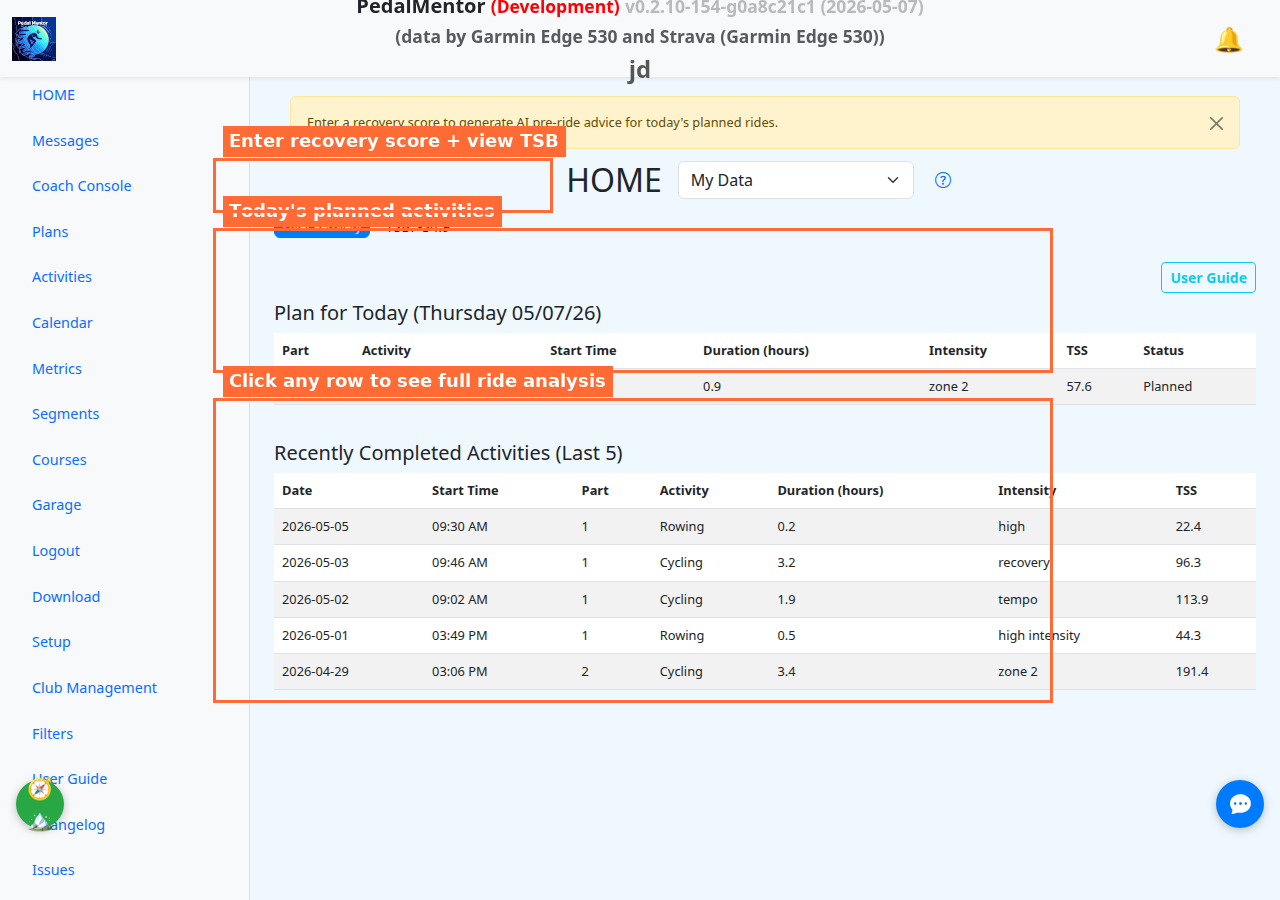
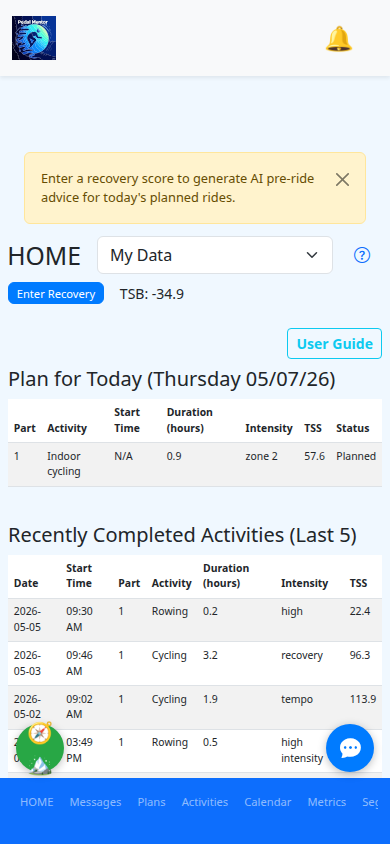
This is your daily starting point. The sidebar (desktop) or bottom nav (mobile) gives you access to Activities, Calendar, Metrics, Segments, Courses, and more. Click any activity row to dive into detailed analysis.
6
Ride Analysis
Detailed metrics, zone charts, AI coaching — your training command center
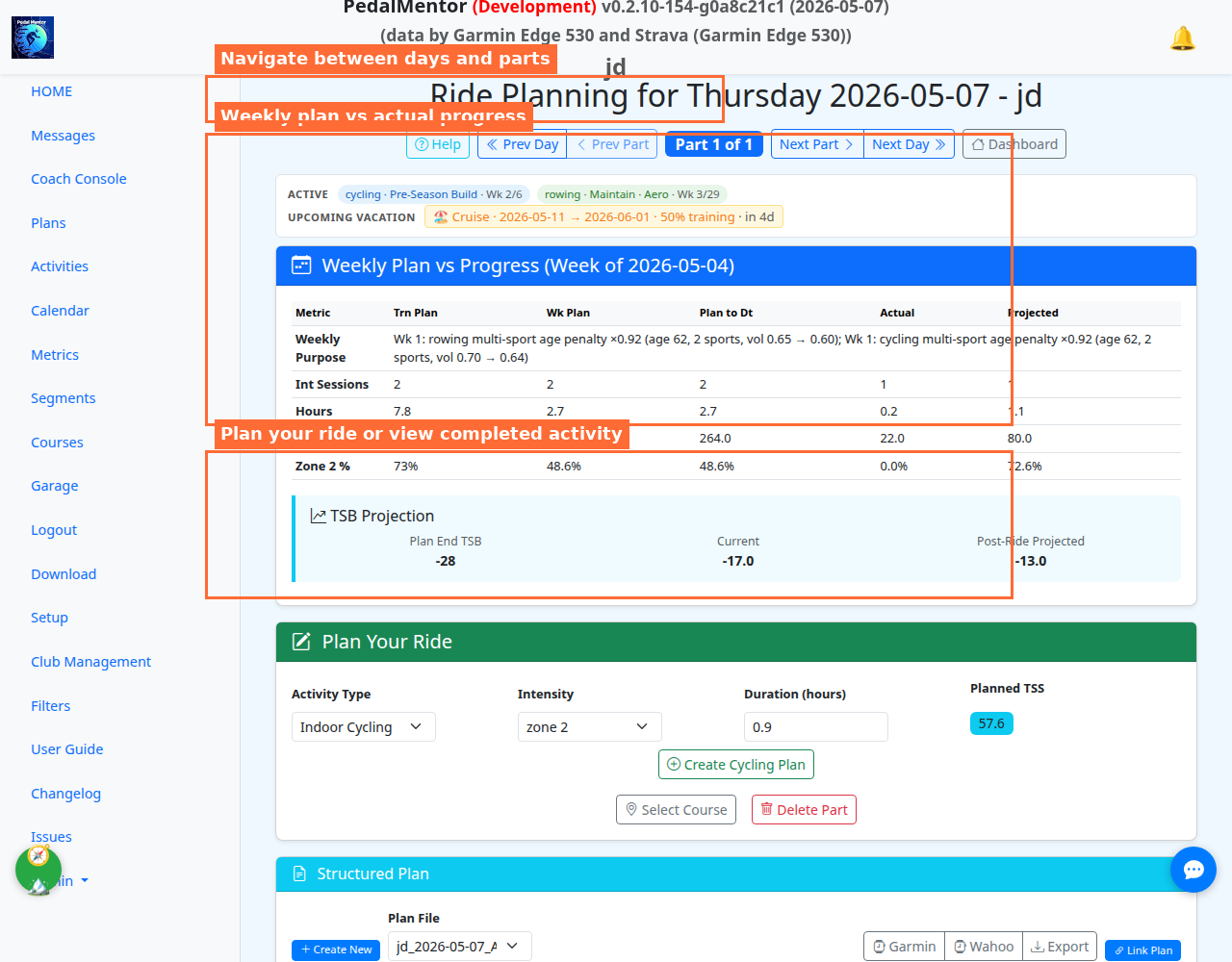
Navigate day-by-day with the arrow buttons. Each day shows your weekly progress, planned vs actual metrics, AI coaching feedback, zone charts, and TSB projections. Use the Help button for a detailed guide.
7
Tune Your Bike Classifier
Map FIT-file device IDs to your bikes so every ride is auto-tagged
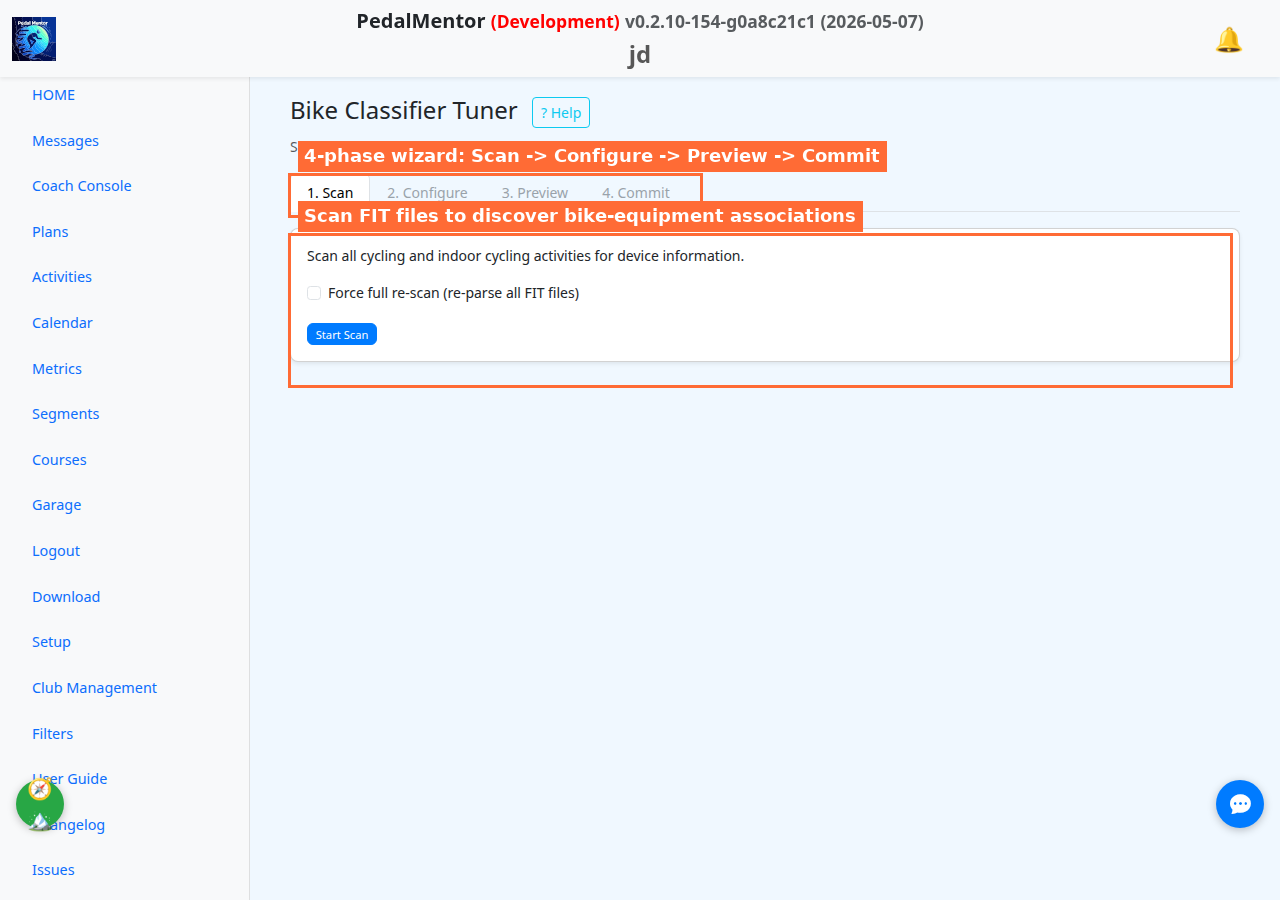
New in v0.3.00. The 4-phase wizard scans your FIT history for power-meter, head-unit, and trainer device IDs, lets you map each to a named bike, previews the classification, then commits — so the rest of PedalMentor knows which bike you actually rode.
You're All Set!
Register, set up your profile, connect your devices, and start analyzing your training. PedalMentor learns from your data and gets smarter the more you ride.